
Use cases

Built for the work between apps.

Keep the small pieces of a task together: the text you copied, the image you referenced, the file you downloaded, the note you recorded, and the reply you reuse.

Everyone

Stop reopening things you already found once.

Keep everyday details searchable and prepare repeatable replies without sending notes to yourself.

  • Keep everyday details searchableCopy a tracking number in the morning and find “order” later instead of reopening the email.
  • Prepare repeatable repliesSave a shipping update, meeting follow-up, address, or support response as a snippet with editable placeholders.
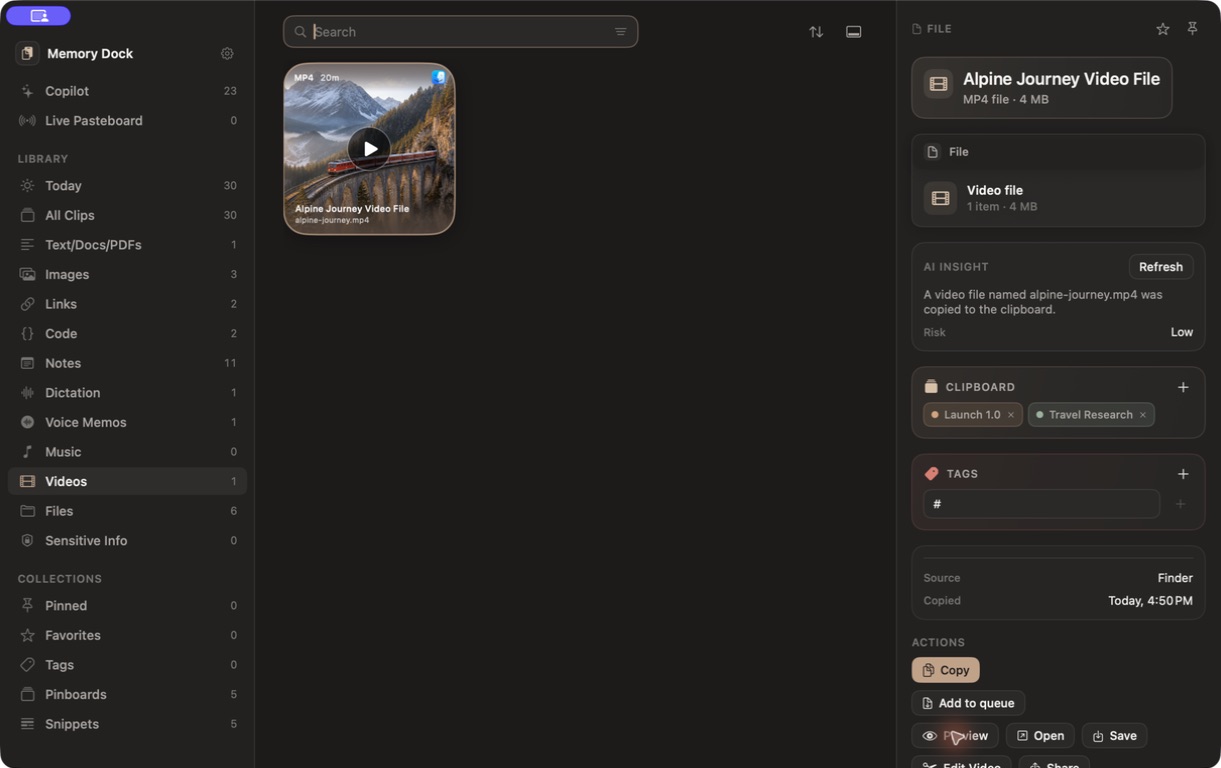
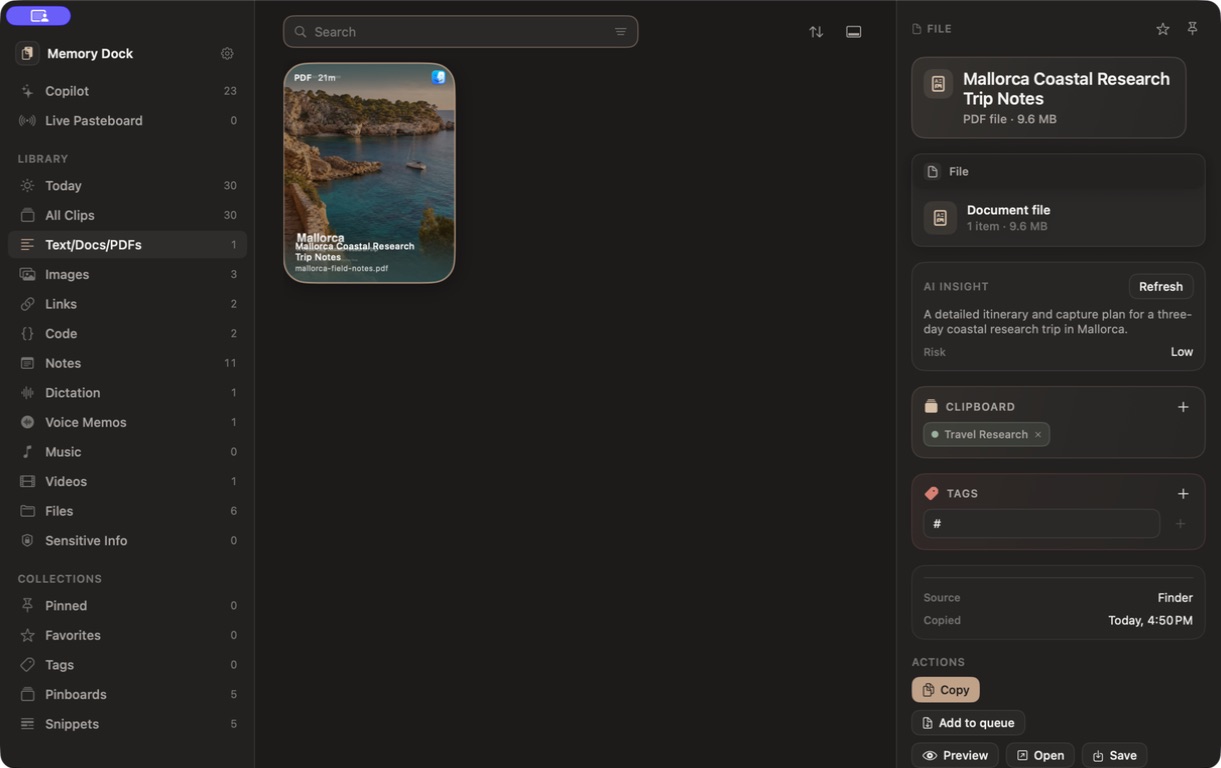
  • Plan without scattering filesKeep a trip’s PDF, hotel link, map, photos, confirmation text, video, and voice notes on one board.
  • Paste several details in orderAdd an address, phone number, and delivery instructions to the Copy Queue, then paste them one by one.
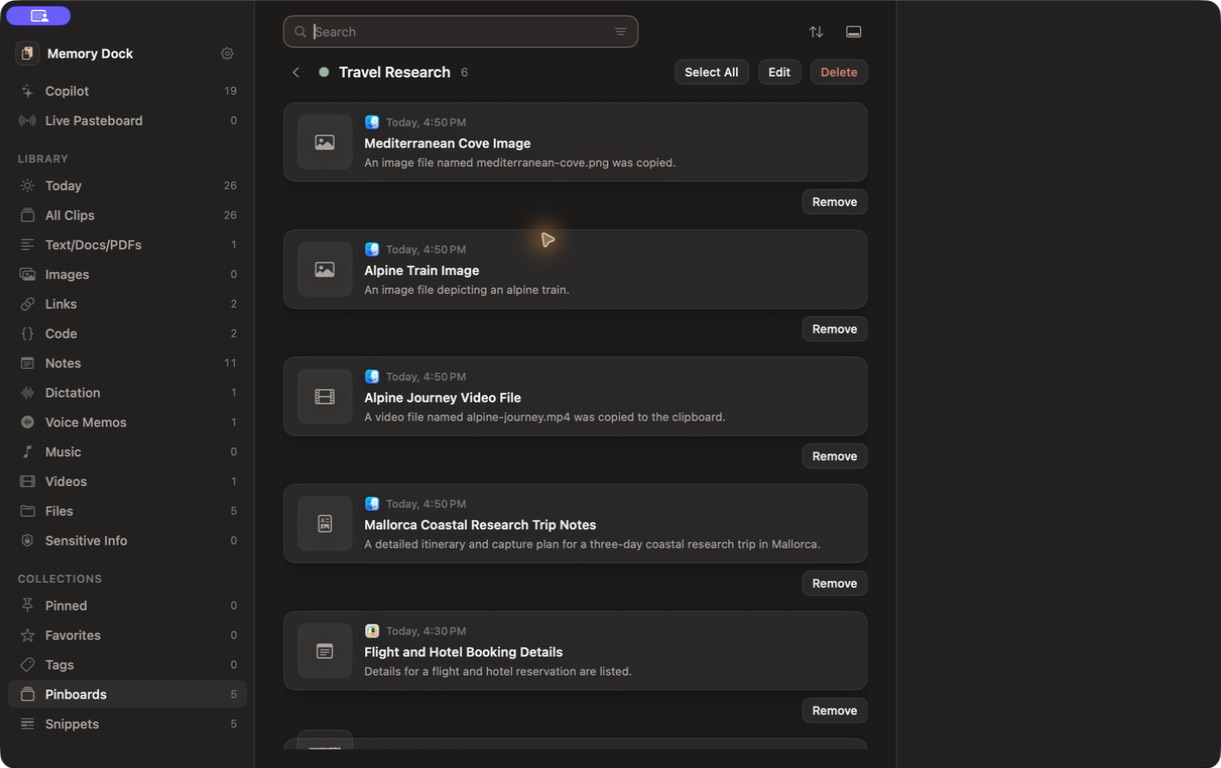
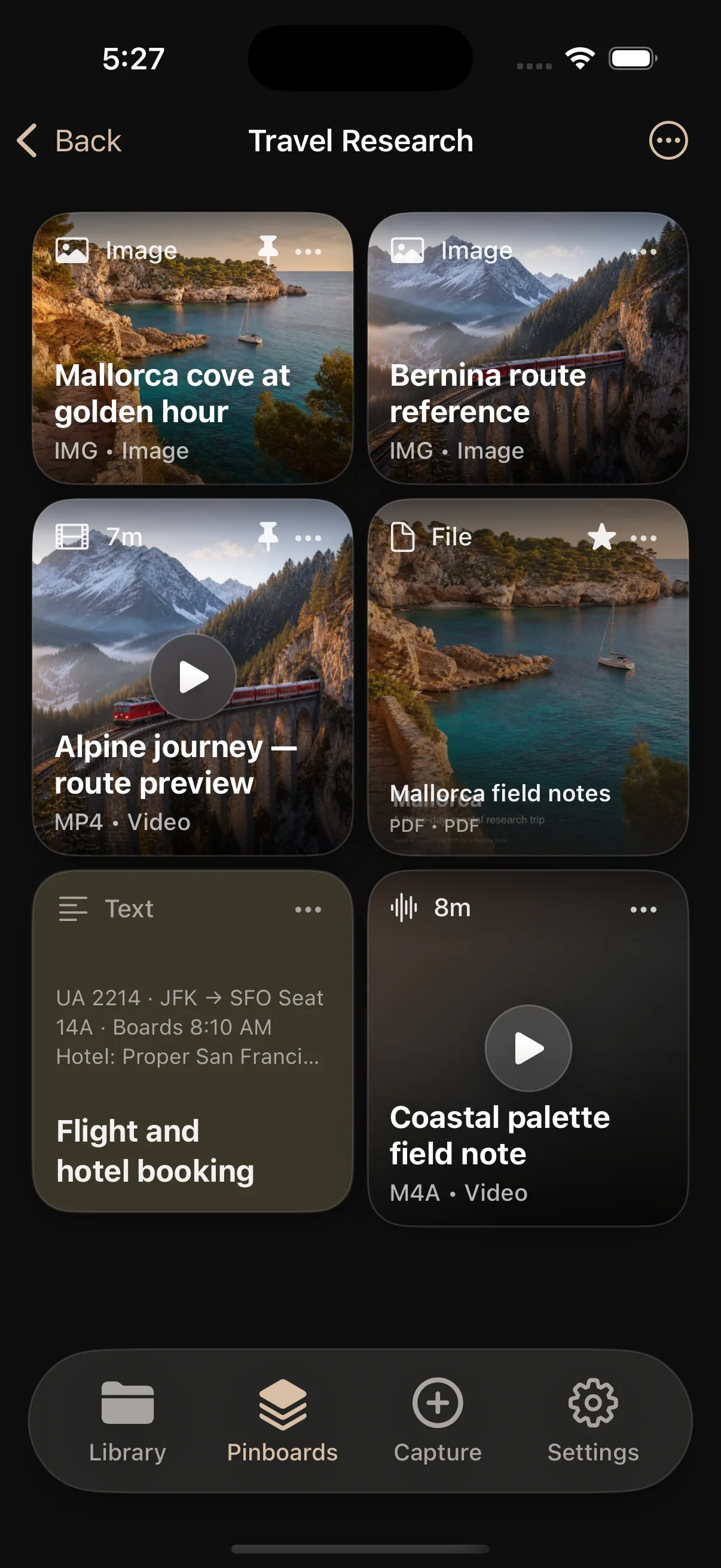
Travel Research: itinerary PDF · booking details · destination photos · video · voice memo
A real Travel Research pinboard containing images, an Alpine video, a Mallorca PDF, booking details, and a voice memo. The Travel Research pinboard on iPhone with images, video, a PDF, booking details, and a voice note. Memory Dock Bottom Shelf with five pinboards and multiple content types.

Developers

Keep the pieces that unblock development.

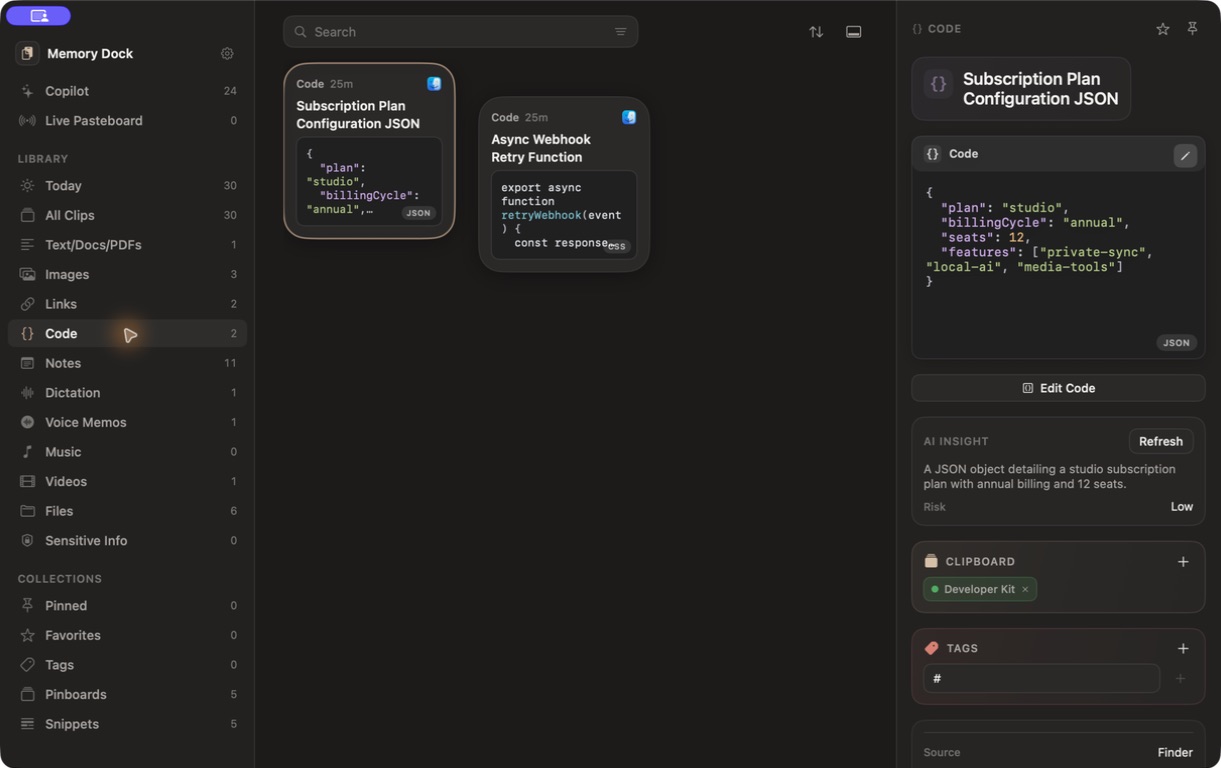
Save code and structured data without losing formatting, then find the related fix, log, command, or documentation later.

  • Reuse code cleanlyKeep functions, SQL, JSON, regular expressions, terminal commands, and configuration as code clips.
  • Find last week’s fixSearch a stack-trace fragment and reopen the command or documentation saved beside it.
  • Clean content before using itFormat JSON, remove tracking parameters from URLs, or convert a reference to Markdown.
  • Share code clearlyTurn a useful fragment into a polished image with Code Image Studio.
  • Handle secrets carefullyDetect likely sensitive content and protect selected clips in the encrypted vault on Mac.
Developer Kit: webhook retry helper · API payload · bug template · useful docs · review reply
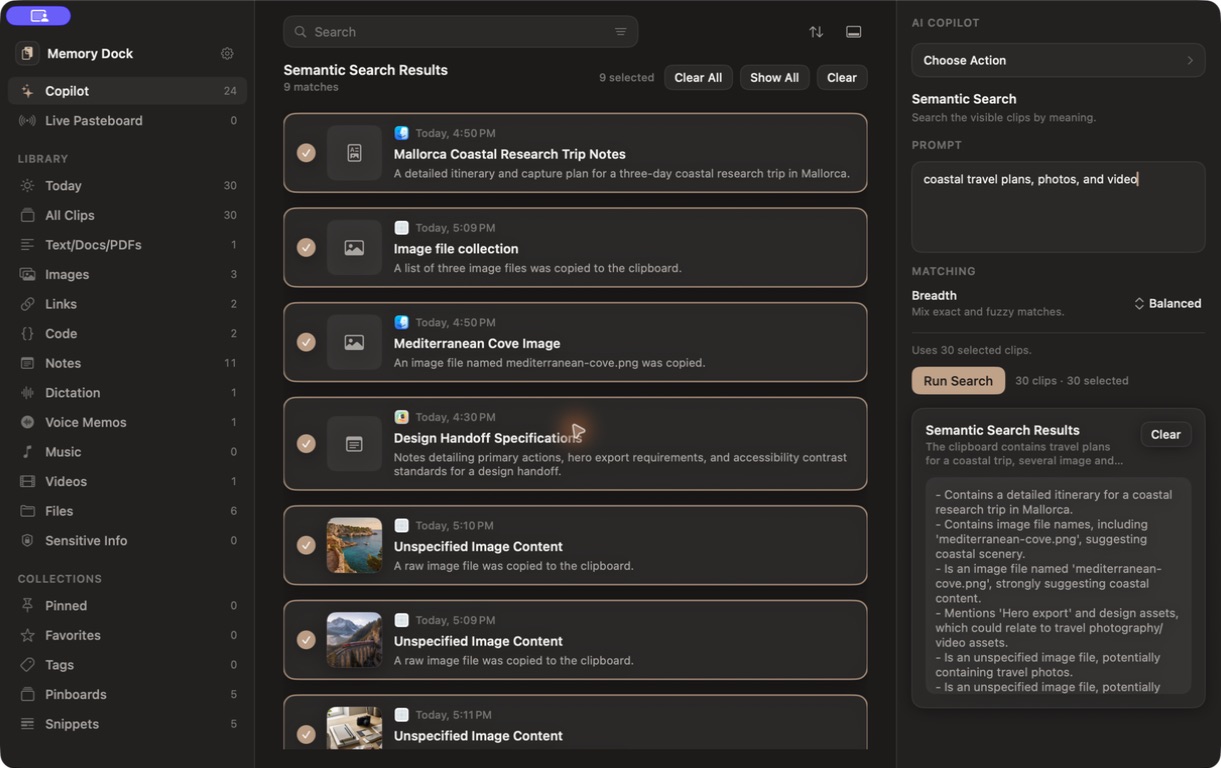
Memory Dock developer clips with formatted JSON and a JavaScript webhook retry function. Memory Dock local semantic search selecting related clips by meaning.

Designers

Keep references connected to decisions.

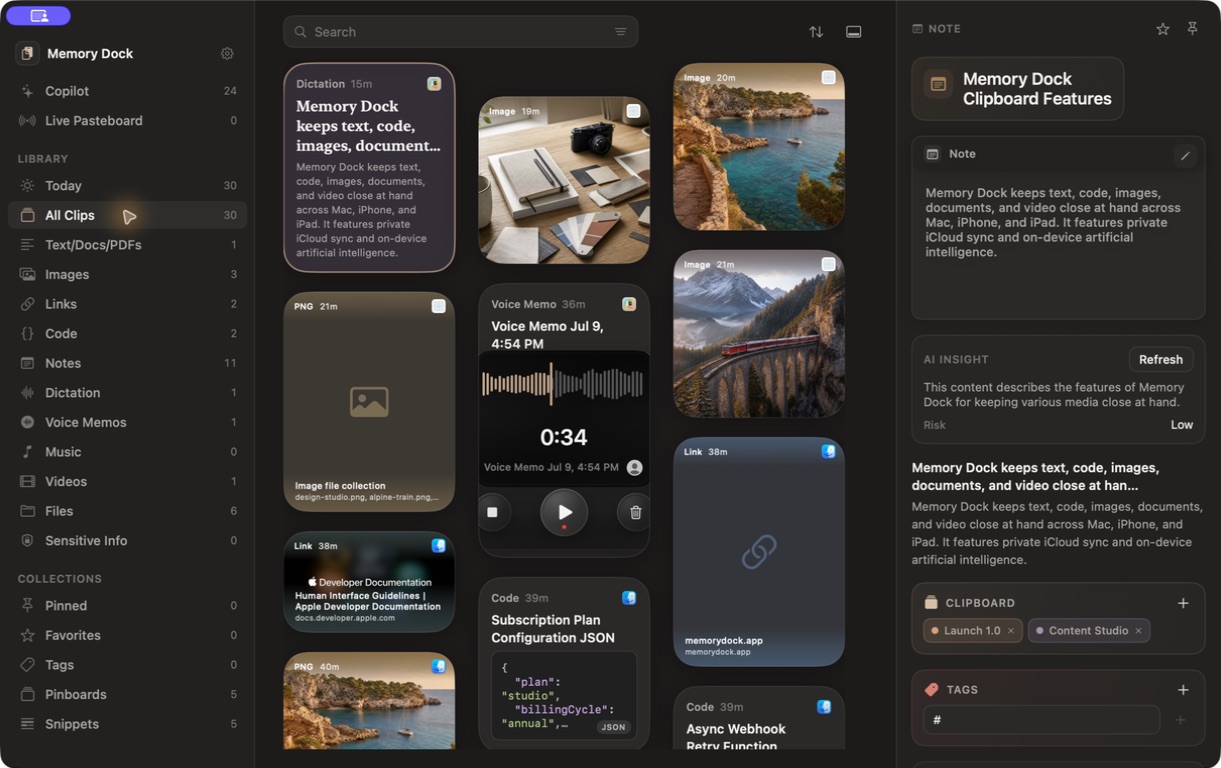
Collect visual references and the notes, colors, documents, and links that explain how they should be used.

  • Build a visual reference boardCollect screenshots, photographs, palettes, links, PDFs, and notes for one project.
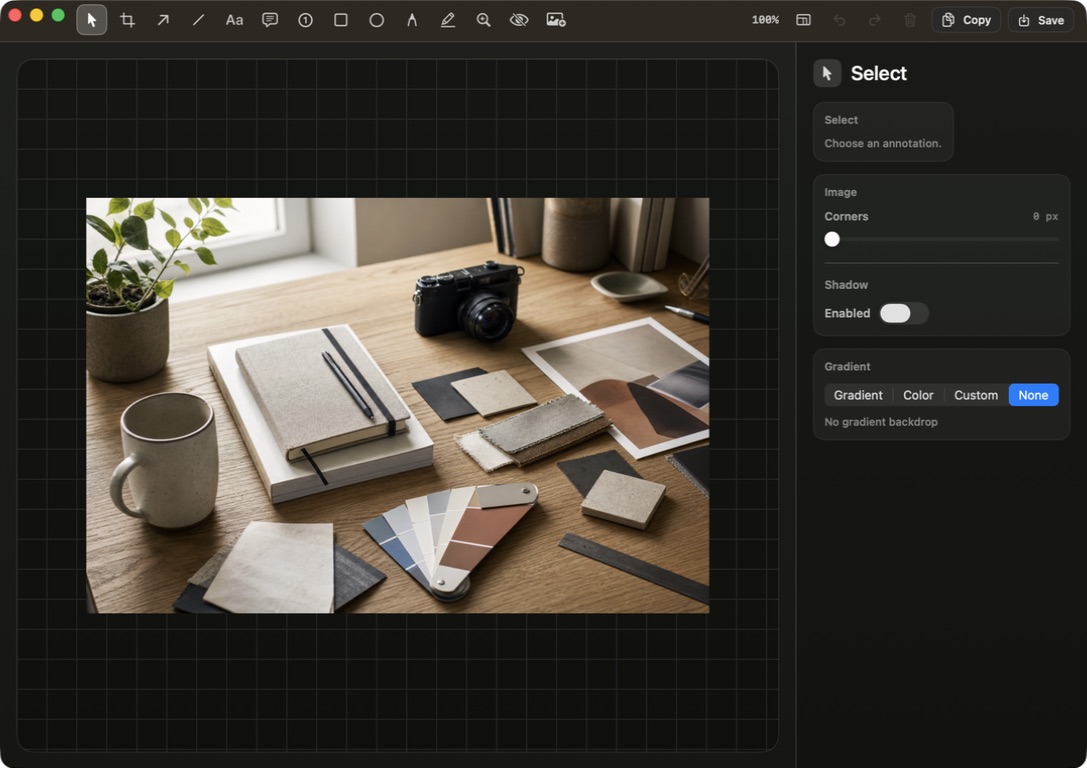
  • Mark the exact detailAnnotate a screenshot instead of writing a separate explanation of what needs to change.
  • Keep useful colors nearbySave colors as clips and add them to the same board as the reference images.
  • Prepare a clear handoffCombine images, attach the supporting note, and keep final assets beside the decision history.
Design Handoff: references · annotated states · approved colors · feedback · export notes
The real Memory Dock image editor with a design reference and annotation tools. Memory Dock showing three visual references alongside code, notes, voice, and dictation.

Content and research

Move from source to draft without losing context.

Read sources in a focused view, listen when reading is inconvenient, and keep useful media with the project that needs it.

  • Read sources without clutterOpen web articles, PDFs, and documents in Reader Mode or Zen Reader.
  • Listen while reviewingUse Read Aloud for a long brief while checking the images and notes saved beside it.
  • Keep useful media availableSave supported video locally for offline playback and keep it with the project.
  • Capture ideas in the right formDictate searchable text while walking, or record a voice memo when delivery matters.
  • Reuse consistent partsStore intros, calls to action, publishing checklists, and response templates as snippets.
Content Studio: source links · draft copy · reference images · video · dictation · publishing notes
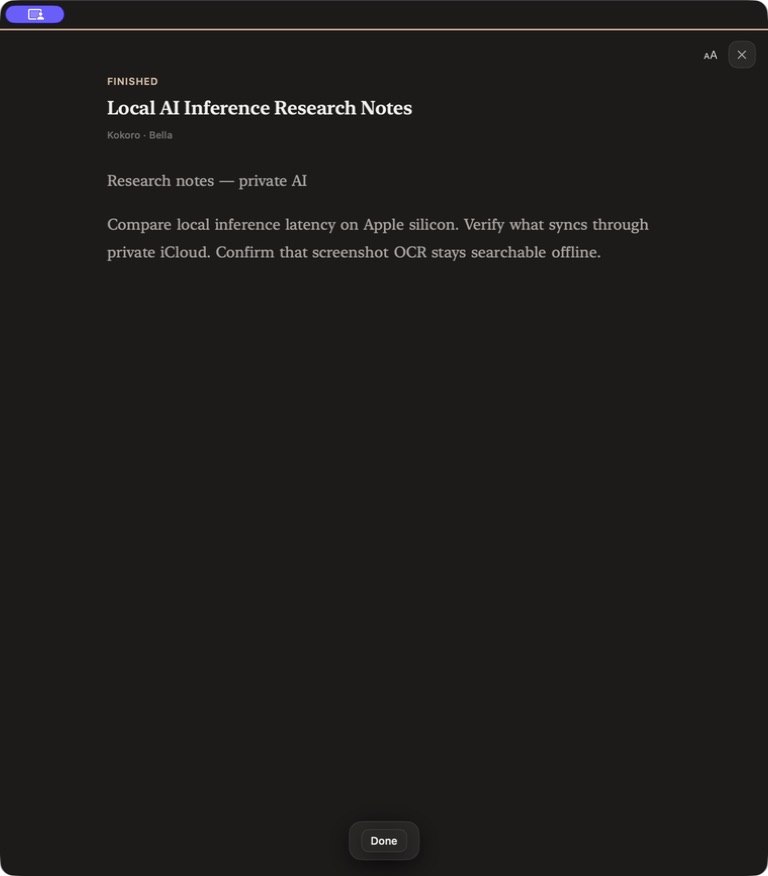
Memory Dock Zen Reader using the on-device Bella voice for a research note. A saved video inside Memory Dock with preview, project, and save actions. A Mallorca field-notes PDF inside Memory Dock.

In final testing

Bring the pieces of your work together.

Memory Dock for Mac, iPhone, and iPad is almost ready.