
Copy something on Mac
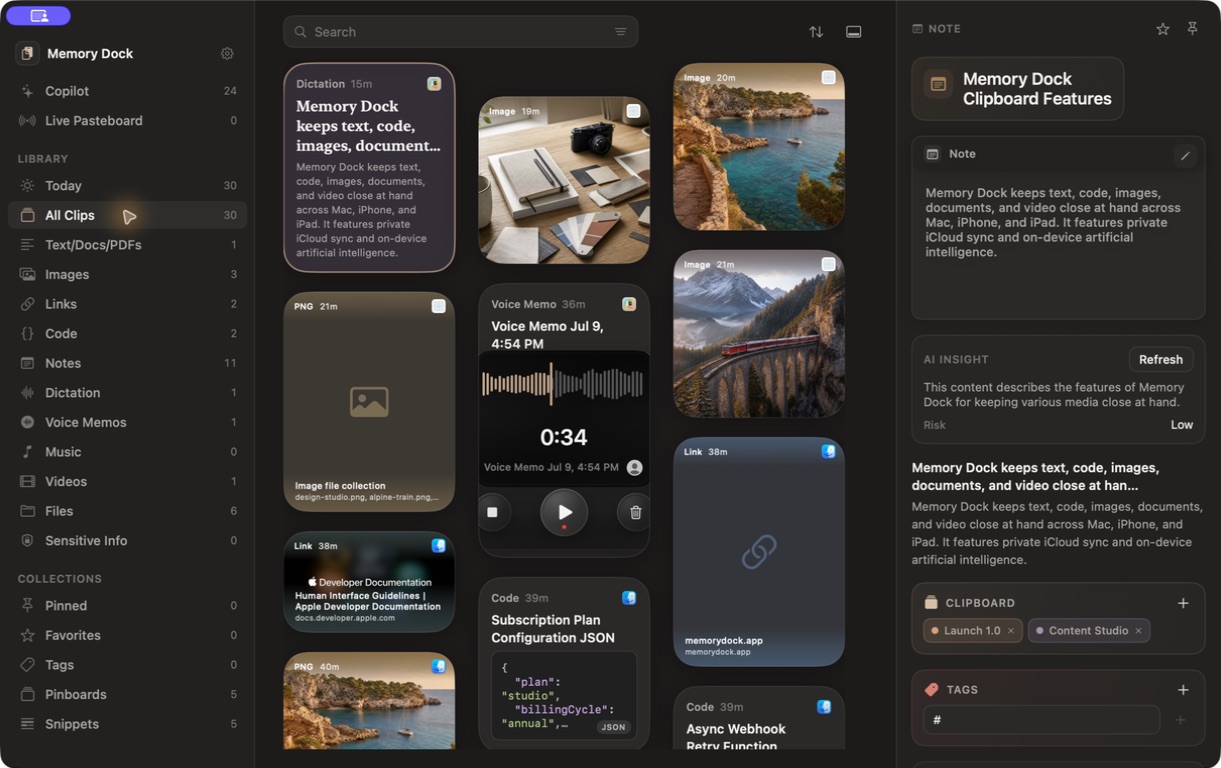
Memory Dock adds supported clipboard content automatically while capture is active.
Explore Memory Dock
Start with capture, create one pinboard, and try search. Everything else can follow when you need it.
Start here
Five steps are enough to understand the shape of the app.
Memory Dock adds supported clipboard content automatically while capture is active.
See the item with its content type, source, preview, and available actions.
Make a board such as Launch 1.0, Travel Research, or Developer Kit.
Mix text, images, links, files, voice, documents, and media on the same board.
Copy again, drag into another app, preview, edit, or run a useful action.
Core guides
Automatic capture, pause controls, excluded apps, file import, and manual creation.
Add clipboard content deliberately, create text clips, and organize from mobile.
Keywords, filters, content types, dates, pinboards, tags, and semantic search.
Mix related formats around a project instead of separating everything by file type.
Images, PDFs, documents, Reader Mode, video, and locally saved media.
Notes, snippets, image annotation, Code Image Studio, and smart actions.
Record audio when the original delivery matters, or dictate searchable text.
Set up local AI, search by meaning, analyze selected clips, and run reusable recipes.
Private iCloud sync, device-specific data, excluded apps, capture pause, and the Mac vault.
Three ways to reach the library
Use the full Studio when organizing, the Mini App for a quick search, and the Bottom Shelf when you only need to grab or paste something.

Common questions
No. Automatic clipboard capture is available on Mac. iPhone and iPad use deliberate manual capture because of platform behavior and privacy restrictions.
Your main clip library and pinboards sync through your private iCloud account. Some advanced fields, settings, and device-specific data stay local.
Memory Dock’s local AI features run with a model on your Mac. Opening links, downloading media, obtaining model files, and syncing with iCloud still use their respective network services when you choose them.
Yes. Pause capture at any time and exclude selected Mac apps, including password managers.
No. Voice memos remain playable audio. Dictation is the option that creates searchable text.
Supported media that you save locally can be played without reopening its source page.
Yes. Capture, search, pinboards, snippets, media tools, and the rest of the core library do not depend on installing a local AI model.

Ready to try it?
Join early access for launch updates and an invitation when builds are ready.